Hylinker: Attach Your Own Hyperlinks to the Web
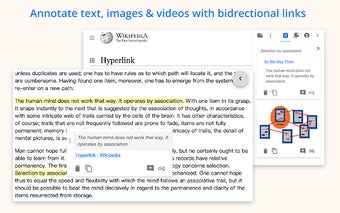
Hylinker is a free Chrome add-on developed by hylinker that allows users to attach their own hyperlinks to web content. With this tool, you can annotate text, images, and videos, and create bi-directional, one-to-many links between web contents and your notes.
One of the standout features of Hylinker is its user-friendly interface that allows you to manage annotations and take notes in a similar way to Twitter. To access this interface, simply click on the Hylinker icon in a new tab or right-click on the Hylinker add-on and choose Options.
Another great aspect of Hylinker is that it is offline-first, meaning that all functions, except the cloud service, are available without signing in. This ensures that you can use the add-on even when you don't have an internet connection.
For those who require real-time syncing across devices, the Pro version of Hylinker offers this feature. Additionally, Hylinker can integrate with Note Apps, such as OneNote, allowing you to sync annotations to your Note Apps and retrieve notes from them. It's important to note that the data from Note Apps is only saved on your own device and does not pass through the Hylinker server.
Overall, Hylinker is a versatile and convenient add-on for Chrome users who want to enhance their web browsing experience by attaching their own hyperlinks and organizing their notes effectively.